Company Updates
Brellium Now Integrates with Okta
The integration offers users simple access and stronger security.
Read Article
Tracking improvement in quality and compliance over time is easier than ever, with enhanced visibility into audit trends and coaching.
This month we shipped Email Efficacy — a new dashboard that shows you which providers are improving from training emails, and who needs additional support. We also made Trend Data significantly more powerful and easier to use. Plus, we launched some internal improvements that you'll feel without seeing.
Here's what changed.
Without a way to measure impact, training is often guesswork — you don't know what's landing or who's even opening your messages.
Email Efficacy details quality scores by provider before and after feedback, giving you clear data on where automatic training is effective and which providers need more individualized support.
Stop guessing where to invest training dollars. Identify the highest-impact areas with easy segment analysis. Brellium's Trend Data dashboards give compliance and quality leaders a clear view of performance across providers, supervisors, codes, states, and dates of service.
You'll spot locations that are at heightened audit risk, codes that consistently flag, and supervisors whose teams are falling short.
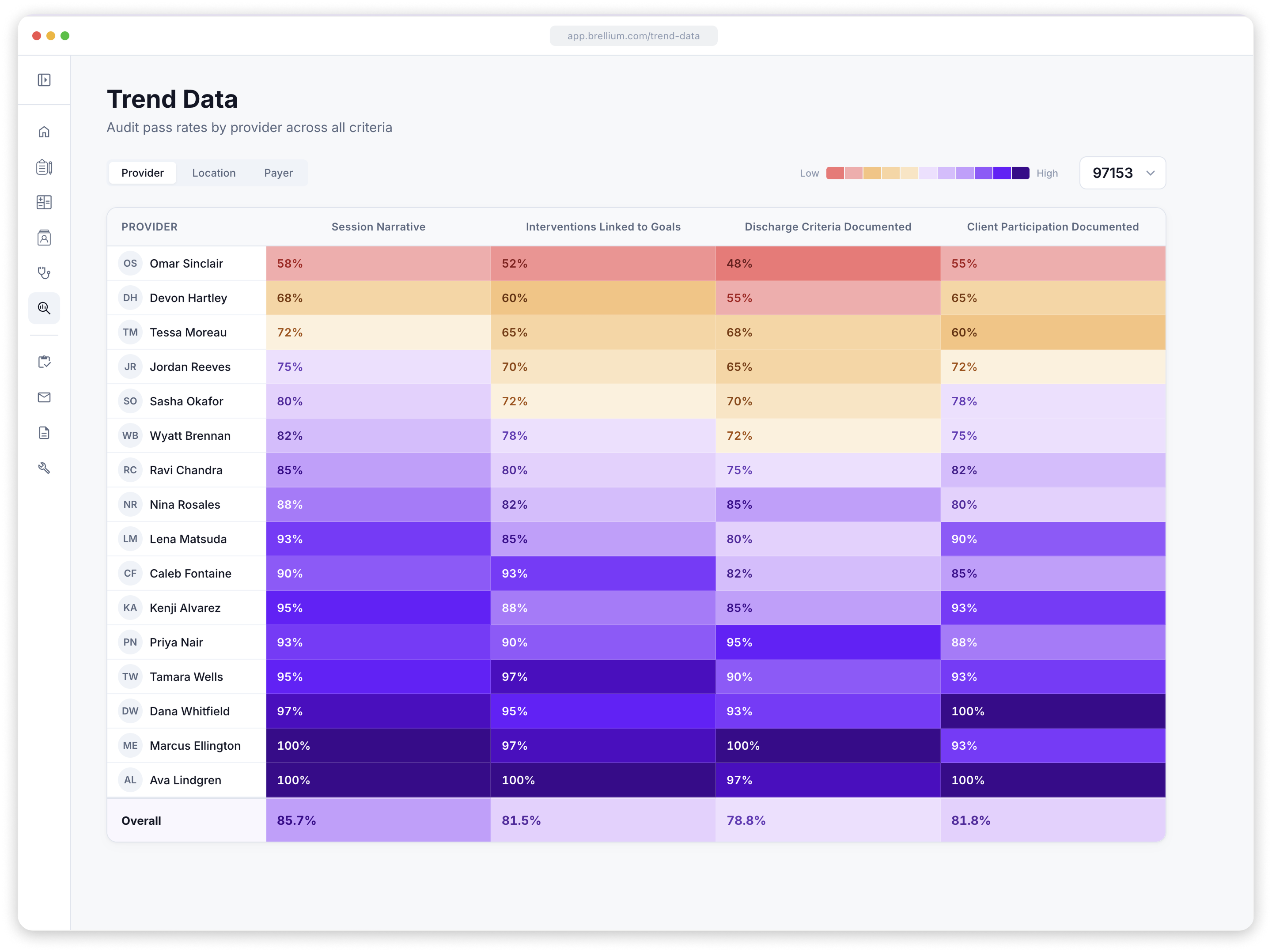
Plus, we also improved how you interact with the dashboard — less time configuring, more time on what matters.

Serial creator of to-do lists. Currently leading product at Brellium. Previously running teams at Wonderschool and Dandy.
AI-powered clinical compliance for every chart, every provider, every time.
Get a Demo